Tutorial: Heart Token (Basics)
This hands‑on tutorial introduces the fundamentals of surface modeling by building a heart‑shaped token from a small set of non‑planar faces. We’ll create non‑planar surfaces, mirror them, add side faces, and assemble a closed shell into a solid.
As described in the topology_ section, a BREP model consists of vertices, edges, faces, and other elements that define the boundary of an object. When creating objects with non-planar faces, it is often more convenient to explicitly create the boundary faces of the object. To illustrate this process, we will create the following game token:
Useful Face creation methods include
make_surface(), make_bezier_surface(),
and make_surface_from_array_of_points(). See the
Surface Modeling overview for the full list.
In this case, we'll use the make_surface method, providing it with the edges that define
the perimeter of the surface and a central point on that surface.
To create the perimeter, we'll define the perimeter edges. Since the heart is symmetric, we'll only create half of its surface here:
from build123d import *
from ocp_vscode import show

# Create the edges of one half the heart surface
l1 = JernArc((0, 0), (1, 1.4), 40, -17)
l2 = JernArc(l1 @ 1, l1 % 1, 4.5, 175)
l3 = IntersectingLine(l2 @ 1, l2 % 1, other=Edge.make_line((0, 0), (0, 20)))
l4 = ThreePointArc(l3 @ 1, (0, 0, 1.5) + (l3 @ 1 + l1 @ 0) / 2, l1 @ 0)
heart_half = Wire([l1, l2, l3, l4])
Note that l4 is not in the same plane as the other lines; it defines the center line
of the heart and archs up off Plane.XY.
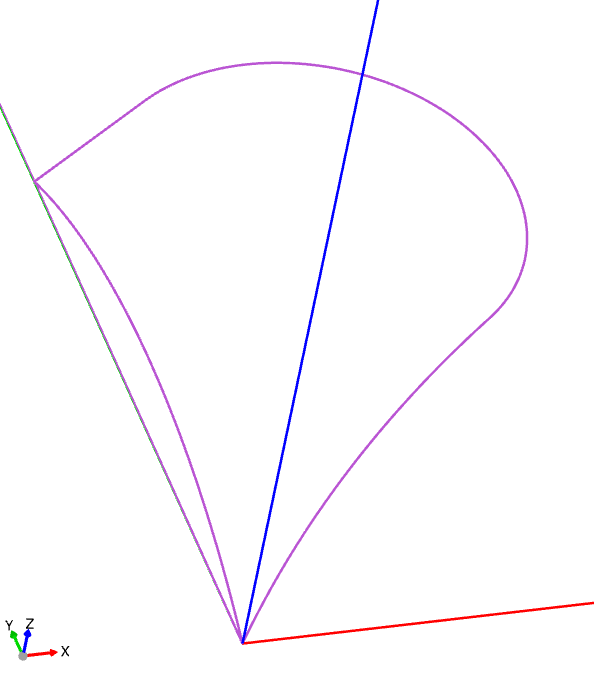
In preparation for creating the surface, we'll define a point on the surface:
# Create a point elevated off the center
surface_pnt = l2.arc_center + (0, 0, 1.5)
We will then use this point to create a non-planar Face:
# Create the surface from the edges and point
top_right_surface = Pos(Z=0.5) * -Face.make_surface(heart_half, [surface_pnt])
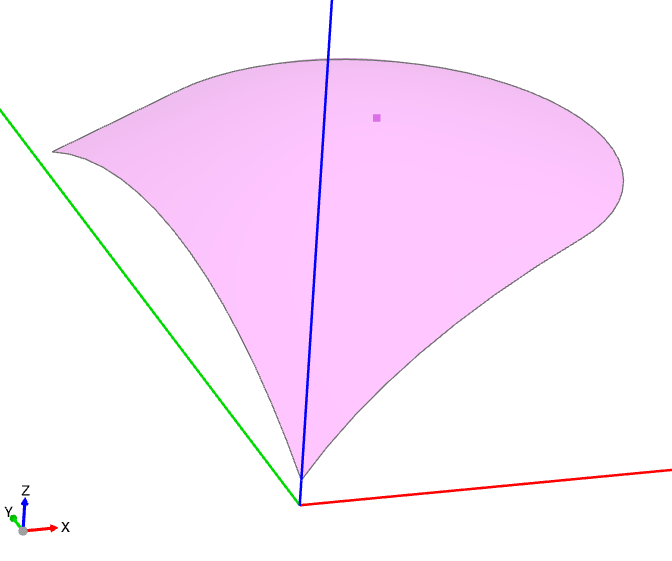
Note that the surface was raised up by 0.5 using an Algebra expression with Pos. Also,
note that the - in front of Face simply flips the face normal so that the colored
side is up, which isn't necessary but helps with viewing.
Now that one half of the top of the heart has been created, the remainder of the top and bottom can be created by mirroring:
# Use the mirror method to create the other top and bottom surfaces
top_left_surface = top_right_surface.mirror(Plane.YZ)
bottom_right_surface = top_right_surface.mirror(Plane.XY)
bottom_left_surface = -top_left_surface.mirror(Plane.XY)
The sides of the heart are going to be created by extruding the outside of the perimeter as follows:
# Create the left and right sides
left_wire = Wire([l3, l2, l1])
left_side = Pos(Z=-0.5) * Shell.extrude(left_wire, (0, 0, 1))
right_side = left_side.mirror(Plane.YZ)
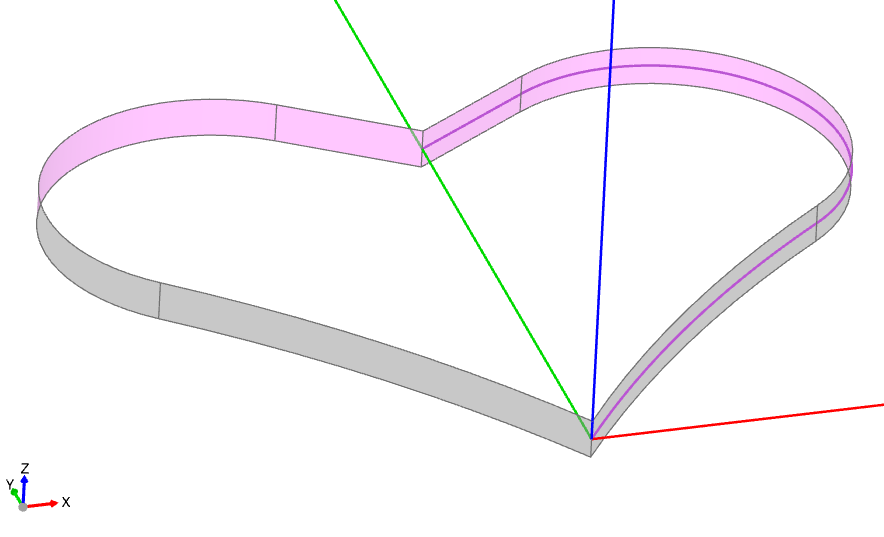
With the top, bottom, and sides, the complete boundary of the object is defined. We can
now put them together, first into a Shell and then into a
Solid:
# Put all of the faces together into a Shell/Solid
heart = Solid(
    Shell(
        [
            top_right_surface,
            top_left_surface,
            bottom_right_surface,
            bottom_left_surface,
            left_side,
            right_side,
        ]
    )
)
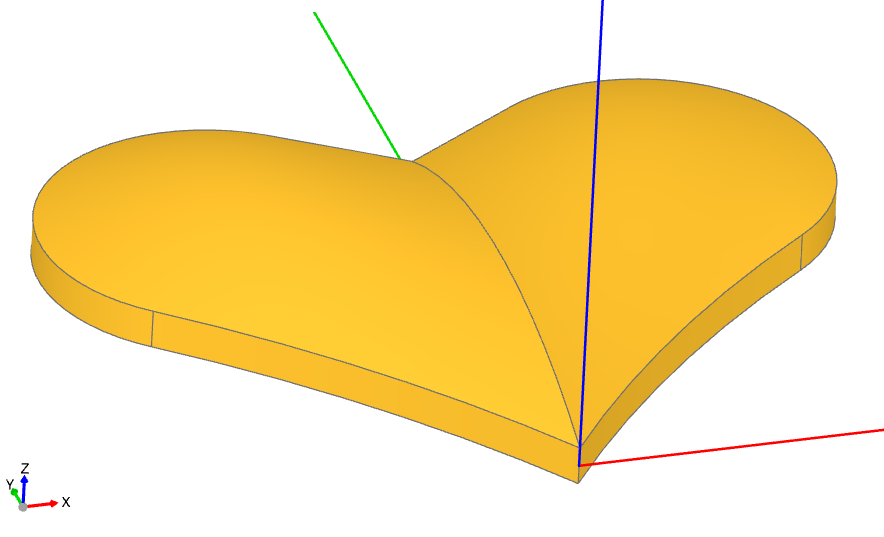
注釈
When creating a Solid from a Shell, the Shell must be "water-tight," meaning it should have no holes. For objects with complex Edges, it's best practice to reuse Edges in adjoining Faces whenever possible to avoid slight mismatches that can create openings.
Finally, we'll create the frame around the heart as a simple extrusion of a planar shape defined by the perimeter of the heart and merge all of the components together:
# Build a frame around the heart
with BuildPart() as heart_token:
    with BuildSketch() as outline:
        with BuildLine():
            add(l1)
            add(l2)
            add(l3)
            Line(l3 @ 1, l1 @ 0)
        make_face()
        mirror(about=Plane.YZ)
        center = outline.sketch
        offset(amount=2, kind=Kind.INTERSECTION)
        add(center, mode=Mode.SUBTRACT)
    extrude(amount=2, both=True)
    add(heart)

heart_token.part.color = "Red"

show(heart_token)
Note that an additional planar line is used to close l1 and l3 so a Face
can be created. The offset() function defines the outside of
the frame as a constant distance from the heart itself.
Summary
In this tutorial, we've explored surface modeling techniques to create a non-planar
heart-shaped object using build123d. By utilizing methods from the Face
class, such as make_surface(), we constructed the perimeter and
central point of the surface. We then assembled the complete boundary of the object
by creating the top, bottom, and sides, and combined them into a Shell
and eventually a Solid. Finally, we added a frame around the heart
using the offset() function to maintain a constant distance
from the heart.
Next steps
Continue to Tutorial: Spitfire Wing with Gordon Surface for an advanced example using
make_gordon_surface() to create a Supermarine Spitfire wing.